

E-Signature Processes from Drafted to Signed
An e-signature process is the full workflow that takes a contract from preparation through signing and into storage, creating the evidence trail you need if anyone questions the agreement later. Read on to learn how e-signature processes work, what makes them legally valid, and how to choose the right approach for your contract types.
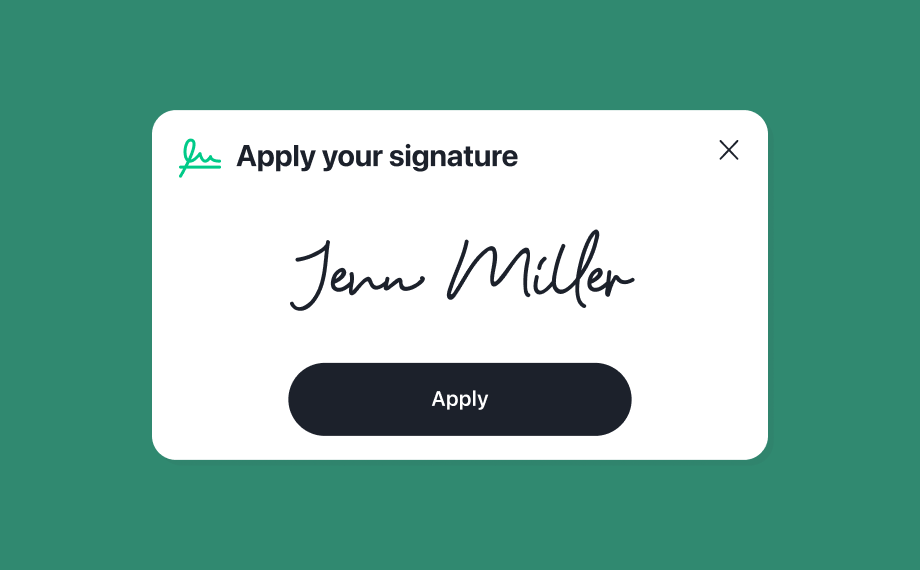
Table of Contents
- What is an electronic signature?
- What is an e-signature process?
- Types of e-signatures
- What makes an e-signature legally valid?
- Benefits of e-signature processes
- Common e-signature use cases in contract workflows
- How to choose an e-signature process for your organization
- Frequently asked questions about e-signature processes
Receive the latest updates on growth and AI workflows in your inbox every week
Key takeaways:
Implement a complete e-signature process that encompasses document preparation, signer authentication, review and signing, tamper-evident sealing, and centralized storage, as each step creates essential evidence that validates the agreement if later questioned.
Ensure legal validity by establishing clear intent and consent, authenticating signer identity, maintaining document integrity through cryptographic sealing, and generating comprehensive audit trails that capture timestamps, IP addresses, and authentication methods for every signer.
Match your authentication method to contract risk level by using email verification for routine agreements like NDAs, while requiring stronger methods such as SMS passcodes, single sign-on, or government ID verification for high-value vendor contracts or regulated transactions.
Retain the completed audit trail, tamper-evident sealed document, and completion certificate for the life of the agreement plus the applicable statute of limitations to maintain audit readiness and preserve evidence for potential disputes or compliance reviews.
What is an electronic signature?
An electronic signature (e-signature) is any electronic action that shows a person agrees to a document. This could be typing your name into a signature field, drawing your signature on a touchscreen, or clicking an “I accept” button.
In the United States, e-signatures carry the same legal weight as handwritten signatures under two laws: the Electronic Signatures in Global and National Commerce Act (ESIGN Act) and the Uniform Electronic Transactions Act (UETA). In the European Union, the Electronic Identification, Authentication and Trust Services (eIDAS) regulation does the same thing.
You’ll sometimes hear the term “digital signature” used interchangeably with “electronic signature,” but they’re not the same. A digital signature is a specific type of e-signature that uses cryptography and certificates to verify who signed and whether the document changed afterward. Think of it this way: every digital signature is an electronic signature, but not every electronic signature is a digital one.
What is an e-signature process?
An e-signature process is the full sequence a document follows from the moment it’s prepared for signing through execution and into storage. Getting this sequence right has a massive impact on business velocity. According to the 2026 Contracting Benchmark Report, the average time to fully execute a contract is 35 days, but high-volume agreements like NDAs can be finalized in just 12 days when supported by a streamlined electronic workflow. Each step creates a piece of evidence—who the signer is, that they intended to sign, and that the document hasn’t been tampered with—so the final agreement holds up if anyone questions it later.
Document preparation
Everything starts with getting the contract ready. You draft or generate it from a templatized library, drop in signature fields where they’re needed, and assign your signers. If you’re using a contract lifecycle management (CLM) platform, you can set the signing order and routing rules here so the document moves to the right people automatically. Integrating advanced tools into this phase pays off—according to The 2026 State of AI in Legal Report, 50% of legal professionals using AI and automated workflows report faster contract turnaround times as a direct business outcome.
Signer authentication
Before a signer can even see the document, the platform verifies their identity. The method you choose should match how risky the agreement is. A routine non-disclosure agreement (NDA) probably only needs an email link, while a high-value vendor contract might call for something stronger.
Common authentication methods include:
- Email verification: a unique link sent to the signer’s inbox
- SMS passcode: a one-time code texted to the signer’s phone
- Single sign-on (SSO): authentication through your company’s identity provider
- Government-ID verification: uploading a photo ID for high-stakes agreements
Review and signing
The signer opens the document, reviews the terms, fills in any required fields, and applies their signature. Depending on your setup, the platform handles sequential signing (one party after another) or parallel signing (everyone at the same time). Either way, routing logic keeps multi-party contracts moving without you manually nudging people along. This kind of automation is a major driver of efficiency; the benchmark report found that mid-market organizations leveraging focused implementation and automated routing completed contracts 13% faster year over year, dropping their average execution time to 32 days.
Tamper-evident sealing and audit trail
Once everyone signs, the platform locks the document with a tamper-evident seal—usually a cryptographic hash. If anyone changes even a single character after signing, the seal breaks and the alteration is flagged.
At the same time, the platform generates an audit trail that logs every action: who opened the document, when they viewed it, what authentication method they used, and the exact timestamp of their signature. This audit trail is your evidence package if anyone disputes the agreement later.
Storage and retrieval
The signed contract gets filed automatically in a centralized repository, tagged with searchable metadata like contract type, party names, and key dates. This matters more than people realize. When renewal season hits or an auditor comes calling, you need to find the right contract and its full signing history without digging through email threads.
Types of e-signatures
Not all e-signatures offer the same level of security or legal weight. The eIDAS framework defines three tiers, and even if you’re based in the United States, understanding them helps you choose the right approach for each contract.
Simple electronic signature
A simple electronic signature (SES) is the most basic type. It covers things like typing your name, checking an “I agree” box, or drawing your signature with a mouse. SES works fine for low-risk agreements like internal approvals or standard NDAs, but it carries the lightest evidentiary weight if someone challenges it.
Advanced electronic signature
An advanced electronic signature (AES) is a step up. It has to be uniquely linked to the signer, capable of identifying them, and created using data only they control. In practice, this means multi-factor authentication or certificate-based signing. AES is a good fit for vendor contracts, procurement agreements, and anything where you want stronger proof of who signed.
Qualified electronic signature
A qualified electronic signature (QES) is the highest tier. It requires a qualified digital certificate from an accredited trust service provider and a qualified signature creation device. Under eIDAS, a QES is legally equivalent to a wet-ink signature. You’ll see QES used in regulated industries and cross-border deals where the legal bar is highest.
What makes an e-signature legally valid?
Legal validity comes down to four things. If your e-signature process produces clear evidence for each one, you’re in good shape.
Intent and consent
The signer has to show they meant to sign. Platforms capture this through deliberate actions—clicking a “Sign” button, drawing a signature, typing a name into a designated field. Just scrolling through a document doesn’t count.
Both parties also need to consent to doing business electronically. Most platforms handle this by having signers acknowledge electronic delivery before they begin.
Signer identity and authentication
Your process has to connect a specific person to the signature. The stronger your authentication method, the harder it is for someone to later claim they never signed. Email-based verification works for routine contracts, but higher-value agreements warrant SMS codes, SSO, or ID verification.
Document integrity and tamper evidence
The signed document can’t change after execution. Cryptographic hashing takes care of this—it creates a unique fingerprint of the document at the moment of signing, and any subsequent edit breaks the seal.
Audit trail and records retention
This is the evidence that ties everything together. Your audit trail should capture timestamps, IP addresses, the authentication method used, and device information for every signer. Keep this alongside the signed document for the life of the agreement plus any applicable statute of limitations.
Your electronic signature language—the clauses in your contracts that reference electronic signing—should acknowledge these records and how they’ll be maintained.
Benefits of e-signature processes
Switching from a manual signing process to a structured e-signature workflow changes how fast contracts move and how much effort they take.
- Faster turnaround: eliminating print-sign-scan cycles and enabling parallel signing compresses execution from days to hours. Routing automation removes the manual follow-up that bogs down deal teams.
- Less administrative work: reduced paper, printing, shipping, and manual filing add up quickly. Automated workflows also cut the time spent chasing signatures through email.
- Audit readiness built in: every signed contract carries its own evidence package—audit trail, tamper seal, authentication log—so you’re prepared for internal audits, regulatory reviews, and disputes without scrambling.
- Better experience for signers: people can sign from any device with clear visual cues for required fields. A smooth process reduces abandonment and helps deals close faster.
Common e-signature use cases in contract workflows
E-signature processes work anywhere a contract needs execution, but some departments feel the impact more than others.
Sales agreements
Order forms, master service agreements (MSAs), quotes, and subscription contracts. When your sales team can generate contracts from templatized libraries and send them for signature without leaving their CRM, deals move faster.
Procurement and vendor contracts
Vendor agreements, statements of work (SOWs), and supplier onboarding documents are rapidly moving online, with procurement teams planning a 70 percent digitalization rate by 2027. Sequential approval chains and routing rules that trigger legal review above a certain spend threshold keep procurement compliant without slowing down routine agreements.
HR onboarding documents
Offer letters, NDAs, employment agreements, and policy acknowledgments. Bulk-send capabilities let HR track completion across an entire new-hire cohort instead of chasing signatures one at a time.
Finance approvals and amendments
Contract amendments, purchase orders, and renewal confirmations. Audit trails tie every financial commitment to a specific approver, which matters when compliance reviews happen.
Legal approvals and NDAs
Standard NDAs, data processing agreements (DPAs), and intercompany agreements. When these are generated from pre-approved templates, they can often route directly for signature without additional legal review—freeing your legal team to focus on the contracts that actually need their attention.
How to choose an e-signature process for your organization
The right process depends on your risk profile, what regulations apply to you, and how signing fits into your broader contract workflow—a deliberate choice matters when 89% of leaders say their tech investments haven’t fully delivered expected results.
Security and compliance needs
Look at encryption standards, data residency options, and compliance certifications like SOC 2 Type II and ISO 27001. Match the signature type—SES, AES, or QES—to the requirements in every jurisdiction where you operate.
Authentication and identity assurance level
Figure out whether email-based verification is enough or whether you need SMS codes, government-ID checks, or certificate-based signing for your contract types. A secure electronic signature process scales authentication to match the risk of each agreement.
Workflow integrations and automation
Check for native integrations with your CRM, procurement platform, HRIS, and document storage tools — 30% of operations leaders point to integration complexity as a persistent obstacle. An open API and no-code workflow configuration let your teams embed signing into existing business processes without waiting on IT.
Audit trails and reporting
Evaluate the depth of the audit trail—how granular the logged events are, whether they’re exportable, and how long they’re retained. Reporting dashboards that track signing status, bottlenecks, and average completion time help you spot problems before they pile up.
The right CLM solution goes beyond routing documents for signature. Ironclad connects signing to the full contract lifecycle so every executed agreement flows directly into a searchable repository with obligation tracking, renewal alerts, and clause-level analytics. Request a demo to see how the process works end to end.
Frequently asked questions about e-signature processes
Keep the completed audit trail (timestamps, signer IP addresses, authentication method), the tamper-evident sealed document, and the completion certificate—these form the evidentiary package courts evaluate when assessing enforceability.
Sequential signing routes the document to each party in a defined order, while parallel signing sends it to everyone at once. Each signer authenticates independently, and the audit trail captures every action in sequence regardless of which method you use.
Unclear signing instructions, missing or incorrect signer contact information, and lack of automated reminders are the usual culprits. Setting default reminder cadences, pre-populating signer details from your intake forms, and using conditional routing to skip unnecessary approval steps fix most of these.
A common baseline is the life of the agreement plus the applicable statute of limitations, but retention periods vary by contract type, jurisdiction, and industry regulation. Store audit trails in a centralized, searchable repository so they stay accessible for compliance reviews and potential disputes.
Ironclad is not a law firm, and this post does not constitute or contain legal advice. To evaluate the accuracy, sufficiency, or reliability of the ideas and guidance reflected here, or the applicability of these materials to your business, you should consult with a licensed attorney.